 BatchGrabber
< Bulk Images Downloader >
Upload a CSV, select the URL column, and download all images in a single ZIP file.
License Required
Upload CSV File
Logs & Status
Ready. Please upload a CSV file.
Troubleshooting:
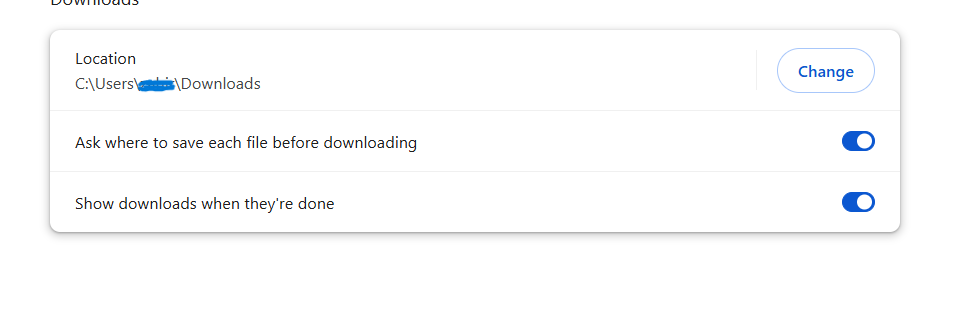
Problem: If Browser does not open “Save As” dialog box;
Solution: Steps>
1] Click Three dots in the upper-right corner of the browser
2] Click on Settings menu
3] Click on ‘Downloads’ link in the left side bar.
4] Make sure "Ask where to save each file before downloading" is turned on.
Settings>Downloads: